How-to
How Do You Secure Mortgage Application Documents in 2026?
12 min read
Last Updated: October 25, 2026
Quick Summary
To secure mortgage documents, send them through your lender's secure portal rather than email, and add open (user) password protection to tax returns and files carrying a full Social Security number. Share the password through a separate channel, strip hidden metadata before locking the file, and verify every document request by calling your lender at a number you looked up yourself.
- Confirm the portal address by phone using a number you looked up yourself, not one from an email.
- Set an open password of at least 12 characters mixing case, numbers, and symbols, then reopen the file to verify.
- Never put the password in the same email as the attachment; send file and password through different channels.
- Remove hidden metadata such as author name and GPS coordinates before you encrypt the file.
- If documents are exposed, tell your lender immediately and change passwords on every account tied to the files.
Table of Contents
- What You Need Before You Secure Mortgage Documents
- How to Securely Send Mortgage Documents to Your Lender
- How to Password Protect Mortgage Documents Before Upload
- Mortgage Document Storage Best Practices for the Application Window
- How to Verify a Document Request Is Really From Your Lender
- What to Do If Mortgage Documents Are Exposed
- Reduce Your Exposure Before You Apply With Cybersweep Analytics
- Frequently Asked Questions
What You Need Before You Secure Mortgage Documents
Learning how to secure mortgage documents starts with knowing what lenders actually ask for. Most applicants gather the right paperwork but handle it carelessly. That gap is where exposure happens.
A mortgage application document checklist usually includes:
- Government-issued photo ID for each borrower and co-borrower
- Social Security number or taxpayer identification number verification
- Recent pay stubs covering the last 30 days
Self-employed borrowers also need profit-and-loss statements and business returns.
Pay stubs and bank statements carry account numbers and income details; tax returns carry your full SSN. Treat those as the most sensitive files in the stack.
How to Securely Send Mortgage Documents to Your Lender
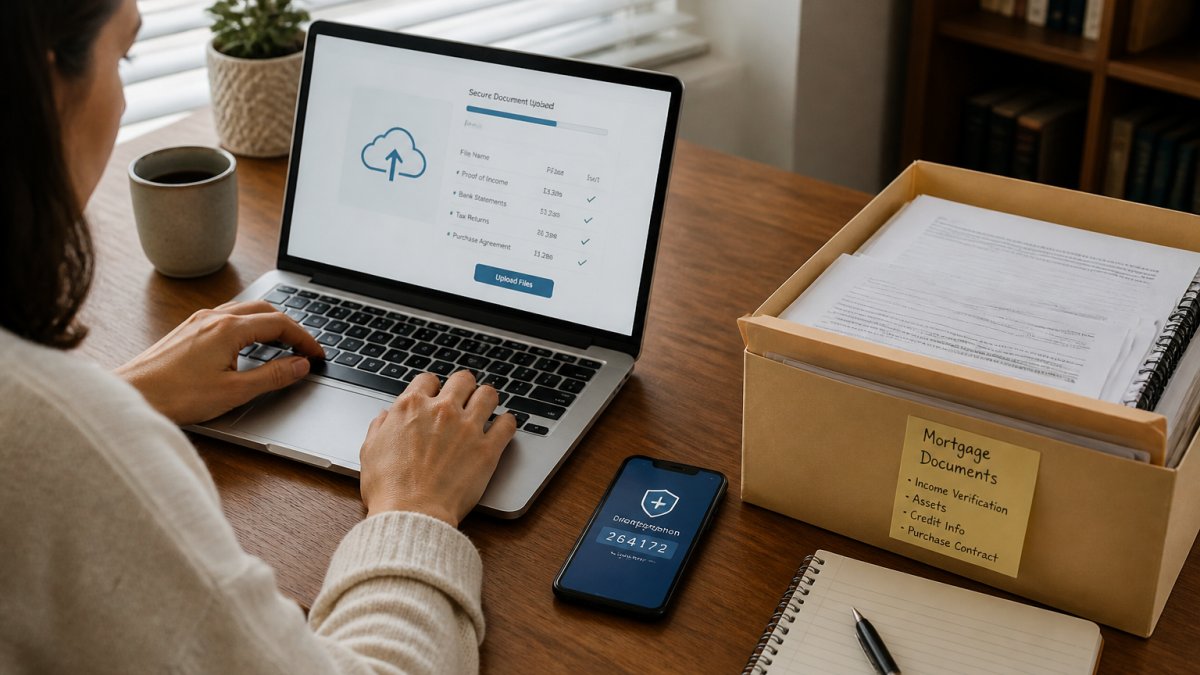
The safest way to send mortgage documents is through your lender's secure portal, not email. A portal encrypts the file in transit and logs who opens it; email does neither.
Follow this order:
- Confirm the portal address directly with your loan officer, by phone using a number you looked up yourself.
- Log in with a strong password and multifactor authentication if offered.
- Upload files one at a time and confirm each one shows as received.
- Keep the confirmation receipts.
- Delete local copies from your downloads folder once the upload is verified.
Why email and text fail as delivery methods
Email and text travel across systems you don't control. A misaddressed message can land in a stranger's inbox and cannot be recalled, and texts sit unencrypted on both phones. Replying with attachments because it feels fast is a common mistake, chain of custody matters more than speed. If your lender insists on email, ask for a secure alternative first; many offer one.
How to Password Protect Mortgage Documents Before Upload
Password protection adds a second lock to a file. Use it whenever you send documents outside a portal, and even inside one for tax returns and anything carrying a full Social Security number. If the file lands in the wrong inbox, the recipient still cannot open it without a separate secret, the file is unreadable without the key, not just labeled private.
Know which kind of protection you are applying
Not all "password protection" is equal. Two mechanisms matter:
- Open password (user password). Required to open and view the file at all. This is what you want for mortgage documents.
- Permissions password (owner password). Restricts printing, copying, or editing but often still lets someone open and read the file. This is not enough on its own.
When your PDF tool offers both, set the open password. A permissions-only lock can frequently be bypassed by common readers.
Password-protect a PDF in four steps
- Open the PDF in a tool that supports encryption, your PDF reader's Protect or Export option, or your operating system's built-in PDF tools.
- Choose the open (user) password option, not permissions-only.
- Set a strong password: at least 12 characters, mixing upper and lower case, numbers, and symbols. Avoid names, addresses, birthdates, or anything visible on the document itself.
- Save as a new file, then close and reopen it to confirm the password prompt appears. If it opens without asking, the encryption did not apply.
Share the password through a different channel
Never put the password in the same email as the attachment. Send the file one way and the password another:
- File through the lender's portal or a secure transfer link; password by phone call.
- File by email; password by text to a number you have verified.
- File and password by separate emails, if no better channel exists.
Tell your loan officer which channel the password is coming through.
Handle non-PDF files deliberately
Pay stubs, bank statements, and tax transcripts often arrive as PDFs, but some lenders accept images or spreadsheets. Convert those to PDF first, then apply the open password. Do not rely on zipping a file with a password, many email systems strip or block encrypted archives. Never send an unlocked original alongside a locked copy "for convenience."
What password protection does not do
A password protects the file at rest and in transit. It does not stop someone who already has the password, encrypt the email carrying it, or remove metadata inside the document. Pair it with a secure portal and the file hygiene steps below.
Strip hidden metadata before you lock the file
PDFs and images can carry hidden information, author name, software used, GPS coordinates from phone photos, and revision history. Before you encrypt, use your PDF tool's "remove metadata" or "sanitize" option, or print-to-PDF to flatten the file. For phone photos, strip location data through your photo app's export settings or a metadata removal tool. Do not alter the actual content the lender requested, redaction and metadata removal are different from editing numbers or dates, which can be treated as misrepresentation.
When redaction is appropriate, and when it is not
Redaction hides information the lender does not need, such as account numbers on a statement page that also shows your balance. It is not for changing income, balances, or dates. Use true redaction, which removes the underlying text, not a black box drawn over content, which can often be selected and copied.
The article sets out a four-step process for locking a PDF with an open password and verifying it worked.
| Step | What to do | Note |
|---|---|---|
| 1 | Open the PDF in a tool that supports encryption | Reader's Protect or Export option, or OS tools |
| 2 | Choose the open (user) password option | Not permissions-only |
| 3 | Set a strong password of at least 12 characters | Mix case, numbers, symbols; avoid names and birthdates |
| 4 | Save as a new file, close and reopen it | Confirm the password prompt appears |
Mortgage Document Storage Best Practices for the Application Window
Store application files in one encrypted folder, and nowhere else. Scattered copies across downloads, desktop, and email are how documents leak. A practical setup:
- Use an encrypted cloud folder with multifactor authentication on the account
- Name files clearly so you don't re-download duplicates
- Delete copies once the loan closes and your records are settled
Every extra copy is another place a breach can start. Keep what the lender needs during the application window, then clean up.
How to Verify a Document Request Is Really From Your Lender
Verify every document request by calling your lender at a number you found independently.
Lender impersonation is a known phishing pattern.
Check these signals:
- The sender's domain is slightly off from the lender's real one
- The message pressures you to act same-day
- It asks for documents the lender already has
If any of these appear, stop. Call your loan officer directly and ask whether the request is real.
Multifactor authentication on your email and portal accounts blocks most account takeover attempts. Turn it on before you apply, not after.
What to Do If Mortgage Documents Are Exposed
Act quickly and in order if documents are exposed. Speed limits the damage, but the right first step depends on how the exposure happened, that distinction changes what you do in the first hour.
First, identify the type of exposure
- Misaddressed email or text. The file went to the wrong recipient. You may be able to recall or unsend in some email systems, but do not count on it.
- Lost or stolen device. The file is on a phone or laptop you no longer control.
- Phishing reply. You sent documents to someone impersonating your lender.
Each path below starts with the same two moves, then diverges.
The first two moves, every time
- Tell your lender immediately. Call your loan officer at a number you looked up yourself, not one from the suspicious message. Ask them to flag your file and say what they need from you; lenders have their own fraud procedures and can often add extra verification before closing.
- Change passwords on every account tied to the exposed files, email, lender portal, and any bank or investment account whose statements were in the file. Turn on multifactor authentication on each one.
Then respond by exposure type
Misaddressed email or text. Try the recall or unsend feature if your provider offers one, but assume it failed.
Phishing reply. Stop all contact with the sender. Do not reply again, even to ask them to delete the file.
Lost paper documents. Report the loss to your lender. Paper documents cannot be remotely wiped, so the credit steps below carry more weight.
Place a fraud alert or freeze your credit
Contact the three major credit bureaus, Equifax, Experian, and TransUnion. You have two options:
- Fraud alert. A free alert telling lenders to take extra steps to verify identity before extending credit. An initial fraud alert lasts one year and can be renewed; placing it with one bureau requires that bureau to notify the other two (Credit Freezes and Fraud Alerts).
- Credit freeze (security freeze). A free freeze that restricts access to your credit report, making it harder to open new accounts in your name (Credit Freezes and Fraud Alerts). You must place it with each bureau separately and lift it yourself when you need credit pulled, including for your mortgage. If your loan is mid-application, tell your loan officer before you freeze so the lender is not blocked from pulling your report.
Report the incident and start a recovery plan
Report at IdentityTheft.gov, the FTC's official recovery site. It walks you through a personal recovery plan, generates affidavit and letter templates, and helps you file an FTC Identity Theft Report, which carries more weight with creditors than a police report alone.
IdentityTheft.gov recovery plan from the Federal Trade Commission
If money was actually taken or accounts were opened, also file a report with your local police department and keep the report number for creditors.
Monitor and document
- Pull your credit reports from AnnualCreditReport.com and review them for accounts or inquiries you do not recognize.
- Watch bank and credit card statements for unfamiliar activity, and set transaction alerts where your bank offers them.
- Keep a written log of every call, date, person you spoke with, and reference number, lenders and creditors will ask for it.
Reducing online exposure before an incident makes the aftermath easier to manage, but it does not replace these steps. No service can guarantee that exposed information will not be misused.
Reduce Your Exposure Before You Apply With Cybersweep Analytics
cybersweep analytics helps customers identify where personal information is exposed online and request removal of eligible data.
What we do:
- Help you find exposed personal information across public sources
- Send removal requests for eligible listings
- Support ongoing monitoring so you can see changes
We do not remove public records, and we do not control search engines.
If you are preparing to apply, start with the documents. Then reduce the exposure around them. Get started with cybersweep analytics and take a clearer picture of your online footprint into your application.
Frequently Asked Questions
Is it safe to email mortgage application documents?
Plain email is not a safe way to send a full application package. Standard email is not end-to-end encrypted, messages can sit on multiple servers, and a forwarded thread can carry your Social Security number, account numbers, and tax returns far beyond the loan officer. If your lender offers a secure portal, use it. When email is the only option, send password-protected files and share the password through a separate channel such as a phone call. Ask the loan officer which method the lender prefers before you send anything.
How can I verify that a mortgage document request is legitimate?
Treat every unexpected request as unverified until you confirm it. Call your loan officer using the number on the lender's official website or your loan estimate, not a number from the email. Check the sender address character by character, since impersonation often swaps one letter. Legitimate lenders will not ask for your portal password, a wire transfer to a new account, or documents sent to a personal email address. If a request creates urgency or threatens to delay closing, slow down and verify first.
What should I do if my mortgage documents are exposed?
Act in order. Contact your lender's loan officer and fraud or security team, and ask what they need from you. Freeze your credit with all three nationwide credit bureaus, which is free and blocks new creditors from pulling your file. Change passwords on your email, bank, and lender accounts, and turn on multifactor authentication. Watch for loan-related phishing that references your application. Keep a written log of who you contacted and when. Then review your credit reports for accounts or inquiries you do not recognize.
How long should I keep mortgage application documents?
Keep the final signed closing package, including the promissory note and deed of trust, for as long as you own or refinance the home. Tax returns and W-2 forms generally follow the IRS guidance of three years after filing, longer if you amended a return. Pay stubs and bank statements used only for underwriting can be deleted once the loan closes. For anything you keep on a personal device, store it in an encrypted folder rather than a downloads folder, and delete the duplicates you no longer need.
The paperwork is only as safe as the path it travels. Gather the checklist, upload through a verified portal, password-protect what leaves it, and verify every request before you send a file. cybersweep analytics can help you find and reduce exposed personal data along the way, with removal requests, exposure monitoring, and clear reporting on what changed. Get started with cybersweep analytics and apply with fewer loose ends.