How-to
Steps to Secure Financial Identity: 7-Step Guide
Updated October 21, 2026 11 min read

Table of Contents
- Why Securing Your Financial Identity Matters
- Step 1: Create Strong, Unique Passwords for Financial Accounts
- Step 2: Enable Two-Factor Authentication on Every Financial Account
- Step 3: How to Check Leaked Passwords and Verify Exposure
- Step 4: Monitor Bank and Credit Card Statements Regularly
- Step 5: How to Freeze Your Credit and Set Fraud Alerts
- Step 6: What to Do After a Data Breach
- Step 7: Identity Theft Recovery Steps and Official Reporting
- Frequently Asked Questions
Last Updated: October 9, 2026
Why Securing Your Financial Identity Matters
Securing your financial identity means protecting the details criminals need to commit fraud: your Social Security number, bank account information, credit card numbers, and driver's license details.
You can dramatically reduce your risk by following a structured approach. According to Federal Trade Commission identity theft resources, taking proactive steps now prevents most common attacks.
At cybersweep analytics, we help people identify and reduce their exposure to data brokers and public databases. These seven steps complement that work.
Step 1: Create Strong, Unique Passwords for Financial Accounts
Your password is the first line of defense for every financial account. A weak password takes seconds to crack; a strong one takes years.
A strong password has at least 16 characters, mixes cases, numbers, and symbols, and avoids dictionary words or personal details like birthdays and names.
Examples of weak passwords:
- Password123
- MyBirthday1990
- Sunshine2026
Examples of strong passwords:
- Tr0pic@lM0nk3y#92xL
- B!ue$kyR@in_2024Qz
- #Giraffe$82vK@Nest
Remembering dozens of unique passwords is impossible, so most people reuse one across sites.
Password Manager Basics
A password manager stores all your passwords in an encrypted vault. You remember one master password; the manager remembers the rest. It fills in credentials automatically, removing the temptation to reuse passwords, and syncs across your devices.
Set up your password manager now:
- Choose a reputable password manager
- Create a strong master password (16+ characters, mix of letters, numbers, symbols)
- Generate unique passwords for each financial account
Step 2: Enable Two-Factor Authentication on Every Financial Account
Two-factor authentication (2FA) adds a second verification step at login. Even if someone steals your password, they cannot access your account without it.
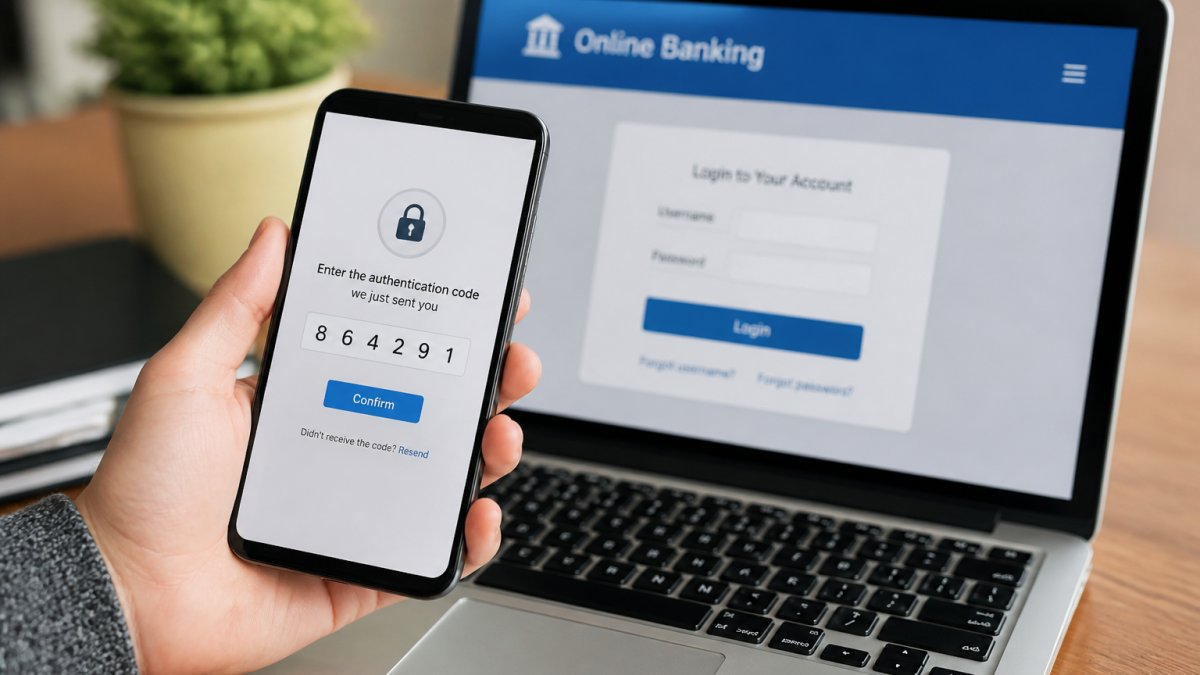
Enable 2FA on these accounts first:
- Primary bank account
- Credit card accounts
- Investment accounts
Authenticator apps like Google Authenticator or Authy generate codes on your phone, SMS codes arrive by text, and security keys are physical devices you plug in.
Set up 2FA now:
- Log into each financial account
- Find the security or settings section
- Look for "two-factor authentication" or "two-step verification"
Step 3: How to Check Leaked Passwords and Verify Exposure
Data breaches happen constantly, and your passwords may be exposed without your knowledge. Checking leaked databases takes minutes and reveals information you can act on.
Have I Been Pwned breach search is a free tool that searches known data breaches.
Check for leaked passwords by:
- Visiting a breach-checking database
- Entering your email address
- Reviewing which breaches exposed your information
If your password appears in a breach, change it immediately using the techniques from Step 1, and do not reuse it anywhere else.
What to Do Based on What Was Exposed
Breaches expose different types of information, and each calls for a different response:
- Email address only: Expect more phishing and spam. Treat unexpected messages with extra caution and verify senders before clicking.
- Password: Change it everywhere it was reused. Enable two-factor authentication on those accounts.
- Social Security number: Place a credit freeze or fraud alert (see Step 5) and review your credit reports for accounts you did not open.
Account-by-Account Security Setup
A breach check is only useful if you follow through. Work through your most important accounts in this order:
- Email (do this first). Your email can reset every other password. Set a unique password, enable 2FA, and review recovery email and phone settings so an attacker cannot redirect them.
- Bank and credit card accounts. Set a unique password, enable 2FA, turn on transaction alerts, and confirm your contact information on file is current.
- Investment and retirement accounts. Enable 2FA, set up login alerts, and review any linked bank accounts for changes you did not make.
- Mobile carrier account. Add a port-freeze or account PIN with your carrier. This makes SIM swapping harder, since a criminal who takes over your phone number can intercept text-message codes.
- Password manager. Protect it with a strong master password and 2FA. Store backup codes somewhere offline and secure.
Digital Identity Risks Beyond Passwords
Passwords are only one layer. These risks deserve specific protective actions:
- SIM swapping: A criminal convinces your carrier to move your number to a new SIM. Add a carrier PIN or port freeze, and prefer authenticator apps over SMS codes.
- Account takeover: Attackers reuse leaked credentials across sites. Unique passwords stop one breach from cascading into many.
- Public Wi-Fi: Avoid logging into financial accounts on open networks. Use your mobile hotspot or a trusted VPN when you must.
Check Where Your Information Appears Beyond Breaches
Breach databases are not the only place your information surfaces. Data brokers and people-search sites compile names, addresses, phone numbers, and relatives into publicly searchable profiles, showing a different part of your exposure than a breach check.
Search your own name periodically and note which sites publish your details. Many data brokers offer opt-out forms you can submit yourself. Services like Cybersweep help identify where your personal information appears online and request removal from eligible data-broker listings, which reduces exposure and helps secure financial identity over time.
Step 4: Monitor Bank and Credit Card Statements Regularly
Criminals use stolen financial information to make unauthorized purchases, and monitoring your statements is how you catch fraud early. Review your bank statement at least weekly for unrecognized transactions, criminals often test stolen cards with small charges before making big purchases.
Check for these warning signs:
- Purchases you did not make
- Charges from unfamiliar merchants
- Multiple small transactions in quick succession
Set up account alerts. Most banks let you create alerts for specific triggers, notifying you when:
- A transaction exceeds a certain amount
- A withdrawal occurs from an ATM
- A new payee is added
Alerts arrive immediately by text or email, and the faster you catch fraud, the faster you can stop it.
Create a monitoring schedule:
- Check bank statements weekly
- Review credit card statements weekly
- Check your credit report monthly
Step 5: How to Freeze Your Credit and Set Fraud Alerts
Your credit report records all credit accounts opened in your name. A credit freeze locks access to your credit file so new accounts generally cannot be opened without your permission.
Credit Freeze vs. Fraud Alert vs. Credit Monitoring
These three tools do different things, and the right choice depends on your situation.
| Tool | What it does | How long it lasts | Best for |
|---|---|---|---|
| Credit freeze | Blocks lenders from accessing your credit file, so new accounts generally cannot be opened | Until you lift it | Maximum protection; anyone not applying for new credit soon |
| Fraud alert | Tells lenders to verify your identity before extending credit | One year (initial); seven years with an extended alert after documented identity theft | People who want a lighter-touch safeguard or plan to apply for credit |
| Credit monitoring | Alerts you to changes on your credit report after they happen | Ongoing subscription or free service | Catching problems early; does not block new accounts |
A credit freeze is the strongest single measure against new-account fraud.
A fraud alert adds a verification step rather than blocking credit: lenders are instructed to confirm your identity before approving an application.
Credit monitoring does not prevent anything but notifies you after a change appears, limiting damage through early detection.
Limitations to Understand
- A freeze does not stop misuse of existing accounts, such as fraudulent charges on a card you already hold. Statement monitoring (Step 4) covers that.
- A freeze does not prevent criminals from using your information for non-credit purposes, such as tax fraud or medical services.
- A fraud alert relies on lenders choosing to follow the verification instruction; it is a strong signal, not an absolute block.
How to Place a Freeze or Fraud Alert
You must contact each of the three major credit bureaus individually, Equifax, Experian, and TransUnion, since a freeze with one does not apply to the others. A fraud alert is different: contacting one bureau notifies the other two.
Set up a credit freeze:
- Contact each of the three major credit bureaus
- Request a security freeze
- You will receive a PIN or password to lift the freeze later
Set up a fraud alert:
- Contact one of the three major credit bureaus
- Request an initial fraud alert
- The bureau notifies the other two
When to Use Which
- Use a credit freeze if you have been a victim of identity theft, want maximum protection, or do not plan to apply for new credit soon.
- Use a fraud alert if you are concerned but have not been victimized, plan to apply for credit within the year, or want a simpler setup.
- Add credit monitoring in either case to catch changes early, and pair it with the statement alerts from Step 4.
Step 6: What to Do After a Data Breach
If your information appears in a breach, a clear action plan limits your exposure. First, determine what was exposed, the breached company should notify you, and the notification tells you what data was compromised.
If your password was exposed, change it immediately to a strong, unique one you do not reuse elsewhere.
Steps to take after a data breach:
- Read the breach notification carefully
- Identify what information was exposed
- Change your password if it was compromised
Keep records of every breach affecting you, notification emails, date, company, and type of information exposed, to help dispute fraudulent accounts later.
Step 7: Identity Theft Recovery Steps and Official Reporting
If you are a victim of identity theft, respond quickly: recovery involves reporting the theft and disputing fraudulent accounts.
Start by contacting your bank and credit card companies. Tell them your accounts have been compromised. Ask them to:
- Monitor your accounts for fraud
- Freeze or close compromised accounts
- Issue new cards or account numbers
Next, place a fraud alert with the credit bureaus so lenders verify your identity before opening new accounts. Then file an identity theft report with the Federal Trade Commission, which creates an official record you can use to dispute fraudulent accounts and remove them from your credit report.
Filing an Identity Theft Report with the FTC
The FTC provides a free tool to file an identity theft report, your most powerful recovery tool.
Your recovery plan tells you:
- Which accounts to contact
- What disputes to file
- How to correct your credit report
The FTC report also gives you documentation to show creditors and credit bureaus, helping you dispute fraudulent accounts faster.
Steps to file an FTC identity theft report:
- Visit IdentityTheft.gov
- Click "Report Identity Theft"
- Answer questions about what happened
Securing your financial identity requires ongoing effort.
If you have experienced a data breach, cybersweep analytics helps identify where your personal information appears online.
Frequently Asked Questions
What's the fastest way to secure my financial identity after discovering a data breach?
Start immediately by changing passwords for all financial accounts using a password manager to ensure each is unique and strong. Enable two-factor authentication on banking and credit card accounts next. Check your credit reports through AnnualCreditReport.com for unauthorized accounts or inquiries. Contact your bank and credit card issuers to report the breach and monitor for suspicious activity. If you see fraudulent accounts or transactions, file an identity theft report with the FTC at IdentityTheft.gov. These steps reduce your exposure window and establish an official record if recovery becomes necessary.
How do I know if my personal information was exposed in a data breach?
Use free services like Have I Been Pwned to check if your email address appears in known data breaches. The site aggregates compromised credentials from major incidents. If your information was exposed, change passwords immediately for that service and any others where you reused credentials. Sign up for breach notifications through your email provider or credit monitoring services. Check your credit reports regularly for unauthorized accounts or inquiries. Many companies notify customers directly after breaches, so monitor your email and mail for official notifications from companies you do business with.
What's the difference between a credit freeze and a fraud alert when protecting financial identity?
A fraud alert notifies creditors to verify your identity before opening new accounts, it lasts one year and is free to set up through any of the three major credit bureaus. A credit freeze restricts access to your credit report entirely, preventing new accounts from being opened without your explicit permission. Freezes are stronger protection but require unfreezing when you apply for legitimate credit. For active identity theft or high-risk situations, a freeze is recommended. For general protection, start with a fraud alert. Both are free and don't affect your existing credit score.
How often should I review my financial accounts and credit reports to catch identity theft early?
Check bank and credit card statements weekly for unauthorized transactions, most fraud is caught faster this way. Review your full credit reports annually through AnnualCreditReport.com to spot unfamiliar accounts or inquiries. If you've experienced a breach or identity theft, increase monitoring to monthly or use continuous credit monitoring services. Set up account alerts with your bank and credit card issuers to flag unusual activity. The sooner you catch suspicious activity, the faster you can dispute charges and limit damage to your financial identity.